Retrieving WordPress users using Laravel
Preparing the environment
Let’s create a new Laravel project using the command laravel new wp-users-laravel1. Select “None” when asked about the starter kit to be used and SQLite for the database. At the moment I am writing this article, the version of Laravel is 12. Go to the project folder and make sure you run the command npm install.
At this point, if you run `composer run dev`, you should be able to visit http://localhost:8000/ and see the default Laravel page.
To finalize, let’s create the route /wp-users where we will show the query result. To do that, edit the file routes/web.php and add:
<?php

use Illuminate\Support\Facades\Route;

Route::get('/', function () {
    return view('welcome');
});
// New route
Route::get('/wp-users', function () {
    return 'Hello, wp-users';
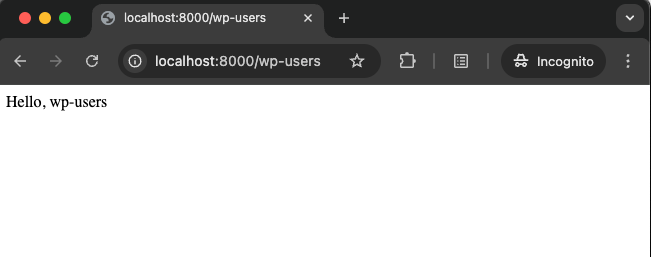
});Visiting http://localhost:8000/wp-users you should see the text “Hello, wp-users”.
Setting up the connection with the database
The database application uses SQLite (defined at the moment the project was created), but the application will access the database of another application, so it’s necessary to set up this connection.
In Laravel 12, the database configurations are in the configuration file config/database.php2. In this file, already exist a configuration for MariaDB databases and we will use that as a reference to create a new configuration to connect to the WordPress database.
So, in the file config/database.php we will insert the item “wpdb”. Update the values of host, post, database, username and password with the data of the database you want to connect. In the example below, the WordPress database is running locally.
	'connections' => [

	  [...]

  	'wpdb' => [
    	'driver' => 'mariadb',
			'url' => env('DB_URL'),
			'host' => env('DB_HOST', '127.0.0.1'),
			'port' => env('DB_PORT', '3306'),
			'database' => env('DB_DATABASE', 'wp-test'),
			'username' => env('DB_USERNAME', 'root'),
			'password' => env('DB_PASSWORD', 'password'),
			'unix_socket' => env('DB_SOCKET', ''),
			'charset' => env('DB_CHARSET', 'utf8mb4'),
			'collation' => env('DB_COLLATION', 'utf8mb4_unicode_ci'),
			'prefix' => '',
			'prefix_indexes' => true,
			'strict' => true,
			'engine' => null,
			'options' => extension_loaded('pdo_mysql') ? array_filter([
				PDO::MYSQL_ATTR_SSL_CA => env('MYSQL_ATTR_SSL_CA'),
			]) : [],
		],
]At this point, you should be able to connect to the WordPress database. To test, let’s update the route wp-users to show the database name:
Route::get('/wp-users', function () {
    $connection = DB::connection('wpdb');
    $connection->getPdo();

    return 'Hello, wp-users in ' . $connection->getDatabaseName();
});If you access /wp-users, you should see “Hello, wp-users in wp-test”.
Another way to test the database connection is by using the command db:table in the terminal:
php artisan db:table --database wpdb wp_usersThis command should show the data about the wp_users table.
Interacting with the wp_users table
In Laravel, to interact with a database table it’s necessary to create a Model (from MVC architecture). The command below creates a model with the name WpUser in the app/Models directory.
php artisan make:model WpUserLaravel uses some conventions when working with models3. For example, if the model name is WpUser, Laravel will look at the table wp_users. In the WordPress, the table prefix (wp_) can change and that way it won’t follow the Laravel convention. That way, the WpUser model will be updated to tell Laravel the table, primary key and connection to be used.
namespace App\Models;

use Illuminate\Database\Eloquent\Model;

class WpUser extends Model
{
    protected $table = 'wp_users';
    protected $primaryKey = 'ID';
    public $timestamps = false;
    protected $connection = 'wpdb';
}To test, let’s update the route /wp-users to retrieve and show all users in the database:
use App\Models\WpUser; // import the model

Route::get('/wp-users', function () {
    return WpUser::all();
});If you access /wp-users, you should see a JSON with all users in the table wp_users:
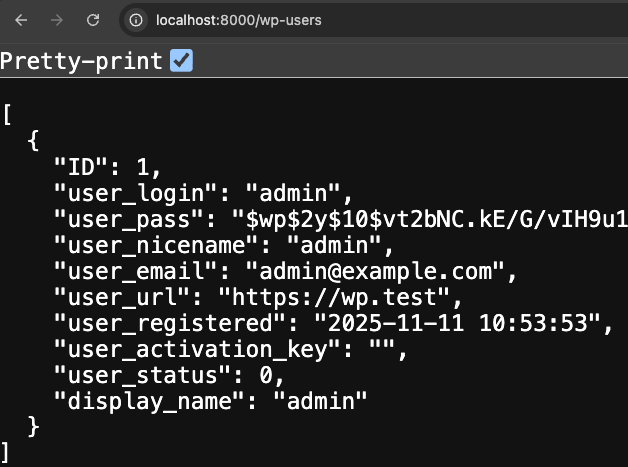
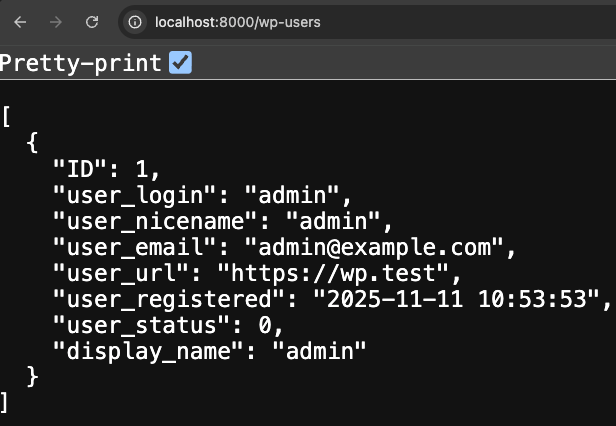
Note that the model returns all columns from the wp_users table. However, we can hide some columns like user_pass and user_activation_key. To do that, it’s necessary to inform Laravel that these columns should be hidden by adding the property $hidden4 to the WpUser model:
namespace App\Models;

use Illuminate\Database\Eloquent\Model;

class WpUser extends Model
{
    protected $table = 'wp_users';
    protected $primaryKey = 'ID';
    public $timestamps = false;
    protected $connection = 'wpdb';

    protected $hidden = ['user_pass', 'user_activation_key'];
}Output:
Improving the list of users
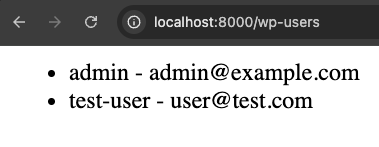
The wp-users route returns a JSON. Let’s update it to return a list with the name (user_nicename) and email (user_email) of users.
use App\Models\WpUser; // import the model

Route::get('/wp-users', function () {
    echo '<ul>';
    foreach(WpUser::all() as $wpUser) {
        echo '<li>' . $wpUser->user_nicename . ' - ' . $wpUser->user_email . '</li>';
    }
    echo '</ul>';
});Ideally, a Controller and View should be created to show the list of users; however, for a quick test, we will keep everything in the routes/web.php file.
Output: